























What Tools Are Used in AngularJS Development?
Discover essential tools used in AngularJS development, from code editors to testing frameworks, to build and maintain dynamic web applications.

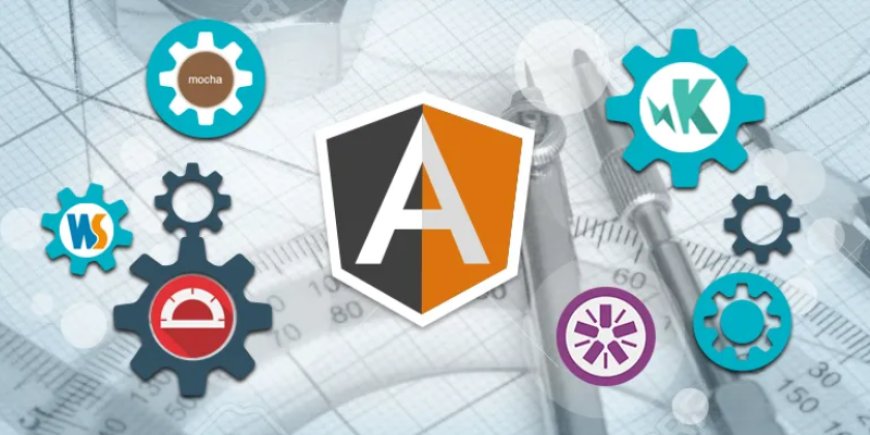
AngularJS, developed by Google, revolutionized the way developers build dynamic, single-page web applications. As a front-end framework, AngularJS offers two-way data binding, dependency injection, and a structured MVC approach that simplifies web development. However, to build scalable and efficient applications with AngularJS, its essential to use the correct set of tools. These tools not only enhance productivity but also make debugging, testing, and project management smoother. Enrol in an AngularJS Training in Chennai can help learners understand these tools in-depth and apply them effectively in real-world projects. In this blog, well explore the essential tools commonly used in AngularJS development and how they contribute to creating robust web applications.
Code Editors and IDEs
The foundation of any development process begins with the right code editor. When it comes to AngularJS, developers often prefer lightweight yet powerful editors that support JavaScript and HTML. Visual Studio Code is among the most popular choices. It offers features such as syntax highlighting, intelligent code completion, and integrated Git support, making it ideal for AngularJS development. Other editors, such as Sublime Text and Atom, are also widely used for their customizable environments and plugin support. These editors allow AngularJS developers to write, edit, and manage code with ease efficiently.
Package Managers
Managing dependencies is a crucial aspect of AngularJS development. npm (Node Package Manager) is the go-to tool for managing JavaScript packages, including AngularJS libraries and plugins. With npm, developers can install, update, and manage the modules they need for their application. Though AngularJS can function without npm, modern web development practices encourage the use of package managers for cleaner, more maintainable code. In the past, Bower was another common package manager for front-end development, but it has largely been deprecated in favor of npm due to the latters wider support and functionality.
Task Runners and Module Bundlers
AngularJS projects often involve multiple files JavaScript, CSS, templates, and more. Managing these files manually can be a time-consuming task. This is where task runners and bundlers, such as Grunt, Gulp, and Webpack, come in. Grunt and Gulp automate repetitive tasks such as minification, compilation, unit testing, and linting. They streamline the development workflow by reducing manual overhead.
Webpack, although more commonly associated with modern Angular (post-AngularJS), can still be configured to bundle AngularJS applications effectively. It enables developers to compile JavaScript modules into a single file or smaller chunks, optimizing the load time and performance of the application. Understanding how to configure tools like Webpack is often part of a comprehensive Web Development Course in Chennai, where learners gain hands-on experience with modern workflows and best practices in front-end development.
Testing Tools
Testing is a critical part of developing any web application, and AngularJS supports a robust testing ecosystem. The most commonly used testing frameworks include Karma and Jasmine. Jasmine is a behavior-driven development framework that allows you to write test cases in an easy-to-read syntax. Karma, on the other hand, is a test runner that allows you to execute your tests across multiple browsers to ensure cross-browser compatibility.
For end-to-end testing, Protractor is the preferred choice. Built specifically for AngularJS applications, Protractor allows developers to simulate user interactions and test application workflows. With these tools in place, you can ensure your AngularJS application behaves exactly as expected.
Debugging and Development Tools
Debugging AngularJS applications is much easier with the help of browser extensions and developer tools. The AngularJS Batarang extension for Google Chrome provides insights into the scope hierarchy and model bindings of your AngularJS application. Although it is no longer actively maintained, many developers still find it useful for inspecting applications built with AngularJS 1.x.
For general debugging, browser developer tools (such as Chrome DevTools or Firefox Developer Tools) enable you to inspect HTML, monitor console logs, and track network activity, which is essential for diagnosing issues in your AngularJS application.
UI Component Libraries
To speed up UI development, AngularJS developers often rely on component libraries. One popular option is Angular UI Bootstrap, which provides Bootstrap components written in pure AngularJS. These components modals, tooltips, carousels, and more are fully customizable and integrate seamlessly into AngularJS apps.
Another useful library is Materialize, which brings Googles Material Design language into AngularJS projects. With these libraries, developers can maintain visual consistency across their applications while saving time on design and layout.
Version Control and Collaboration Tools
AngularJS development, like any software project, benefits greatly from using version control systems. Git is the industry standard for tracking code changes, collaborating with team members, and managing branches. Hosting services like GitHub, GitLab, and Bitbucket facilitate collaboration by enabling teams to share code repositories, conduct code reviews, and track issues.
Using Git alongside AngularJS development ensures that your project remains organized, secure, and easily manageable over time. Mastering version control tools like Git is also a key component of a well-rounded Web Designing Course in Chennai, helping aspiring developers maintain efficient workflows in real-world projects.
Build and Deployment Tools
When it's time to deploy your AngularJS application, having an automated build and deployment pipeline can save time and reduce errors. Jenkins, Travis CI, and CircleCI are popular tools that support continuous integration and deployment (CI/CD) processes. These tools automatically test your code, run build scripts, and deploy your application to staging or production environments.
While these tools may require some initial setup, they significantly improve efficiency in larger projects or when working in teams, helping to streamline the delivery process of AngularJS applications.
API Testing and Development Tools
Many AngularJS applications interact with back-end APIs. Tools like Postman are invaluable for testing APIs during development. With Postman, developers can test HTTP requests, inspect responses, and debug issues with API integration. This ensures the front-end AngularJS application communicates properly with the back-end services.
AngularJS may have been around for several years, but it remains a strong choice for developing dynamic, single-page web applications. The tools available for AngularJS development make it easier to write, test, debug, and deploy robust applications efficiently. From powerful code editors and package managers to automated testing frameworks and deployment tools, every part of the AngularJS development workflow can be enhanced through the right toolkit. Enrol Training Institute in Chennai can help aspiring developers gain hands-on experience with these tools and build a solid foundation in AngularJS development.
As you begin or continue your journey with AngularJS, equipping yourself with these tools will not only streamline your development process but also prepare you for real-world project demands. Whether you're working independently or as part of a team, mastering these tools will help you build scalable and maintainable web applications with AngularJS.